How to Change Refrigerator Water Filter
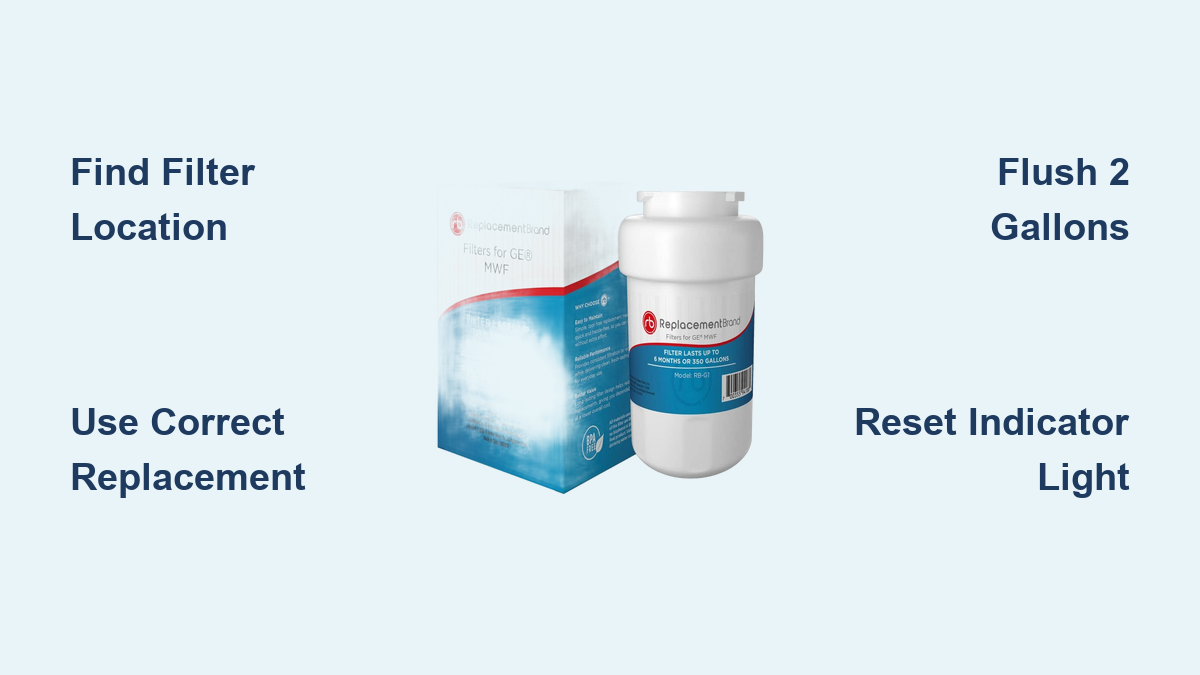
A refrigerator water filter swap is one of the fastest home maintenance tasks you can do, yet many people put it off until their water tastes off or the ice looks cloudy. Most manufacturers recommend replacing the filter every 6 months, and skipping this simple habit can lead to mineral buildup, reduced water flow, and even damage to your ice maker. If you notice slow dispensing, strange tastes, or discolored water, your filter is likely overdue.
This guide covers everything you need to know about how to change a refrigerator water filter correctly. You will learn how to find your filter, choose the right replacement, install it without leaks, flush the system properly, and reset the indicator light. Whether you own a Samsung, LG, Frigidaire, GE, or Whirlpool model, these steps will help you complete the job in under five minutes.
Find Your Refrigerator Water Filter Location
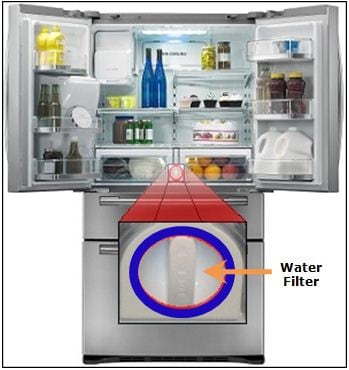
Where Filters Are Typically Hidden
Before you can change a refrigerator water filter, you need to know where it lives. Filter placement varies by refrigerator style, but most follow predictable patterns.
- French Door Models: Usually in the lower left corner of the fridge compartment. Some Electrolux or Professional Series units place it in the upper right.
- Side-by-Side Units: Look in the upper right corner inside the refrigerator.
- Top/Bottom Freezer Models: Often mounted on the ceiling or back wall of the fridge section.
- Four-Door (Quad) Models: Typically in the upper right corner, sometimes behind a pivoting cover.
Open the door and scan these areas first. If you cannot spot it, check your user manual or look for model markings on the existing filter.
Identify the Housing and Release Mechanism
Once you find the filter, determine how it comes out. There are three common mechanisms across major brands.
- Twist-and-Lock: Turn the filter counterclockwise (usually 90°) to unlock and pull it out. Common in Samsung, LG, GE, and Whirlpool.
- Push-In Release: Press the filter inward to disengage the latch, then pull it straight out. Found on most Frigidaire French Door models.
- Knob-Twist: Found on select Frigidaire Quad/Professional units. Twist the end knob 180° counterclockwise, then remove.
Take a photo of the setup before removal. This helps you remember alignment details like arrow direction or spline position.
Choose the Correct Replacement Filter
Match the Model Number Exactly
Using the wrong filter causes leaks, poor performance, or system errors. Always verify the model number on the old filter or in your user manual before buying a replacement.
- Samsung: HAF-CIN, HAF-QIN, HAFCU1
- Frigidaire: PWF1, PWF2 (critical difference explained below)
- GE: GXRTD, GXRQ, GXRW
- LG: LT1000P, LT700P
- Whirlpool/KitchenAid: UKF8001, UKF9001
Never guess. Order the exact match to avoid compatibility headaches.
PWF1 vs. PWF2: A Critical Compatibility Alert
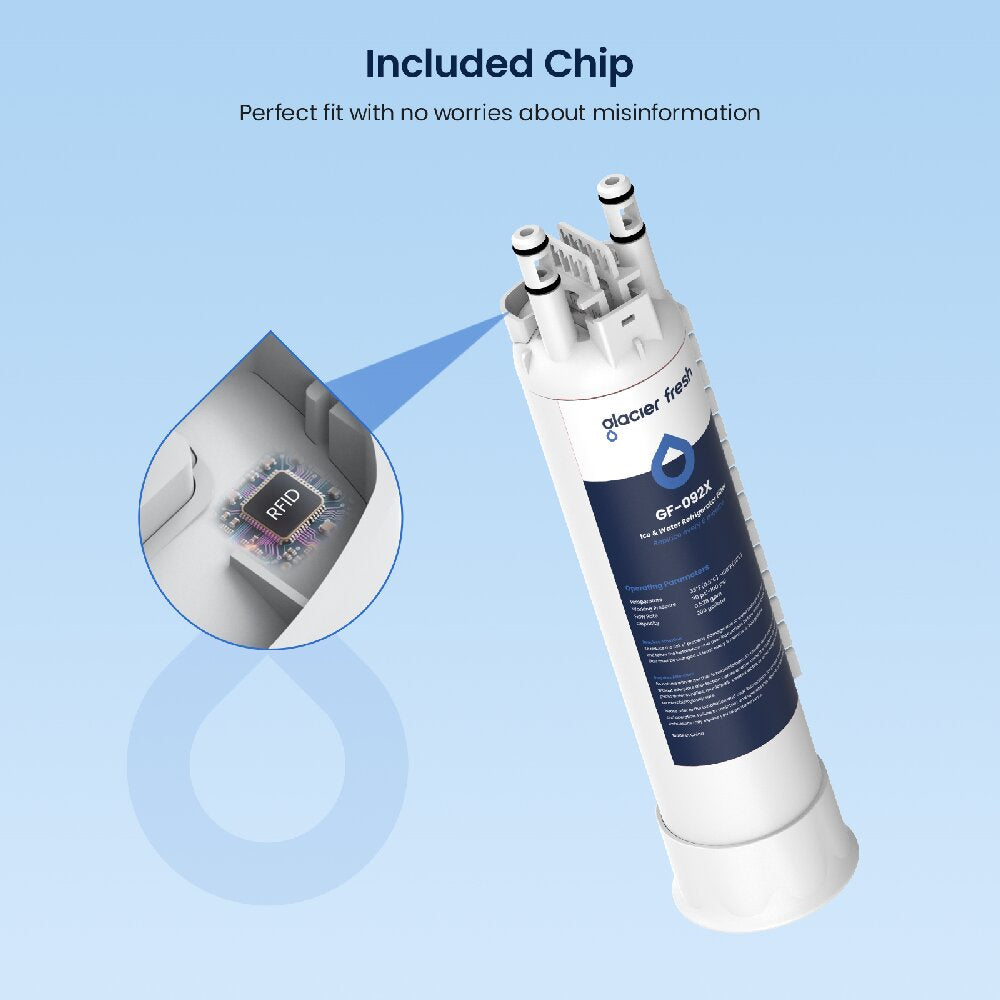
Frigidaire owners must understand the difference between PWF1 and PWF2 filters before purchasing.
| Feature | PWF1 | PWF2 |
|---|---|---|
| Chip Technology | No RFID chip | Has RFID chip plus golden contactors |
| QR Code | Absent | Present on body |
| Housing Needs | Standard | Requires contact pins |
| Third-Party Use | Possible | Not compatible |
Inserting a PWF1 filter into a PWF2 system triggers an “Invalid Filter” error, disables water flow, and requires an OEM PWF2 filter to fix. Auto-reset models rely on chip detection, so no chip means no function.
Remove the Old Water Filter
Twist-and-Remove for Most Models
For twist-style filters found on Samsung, LG, GE, and Whirlpool units:
- Turn off the water supply (recommended for Samsung models).
- Rotate the filter counterclockwise until it unlocks.
- Pull it straight out.
If you feel resistance, double-check the direction. Some models require a slight push before turning.
Push-In Release for Frigidaire French Door
For Frigidaire models with internal push-release:
- Press the filter inward firmly to release the latch.
- Pull it straight out.
- Support the housing, as some models have loose internal parts.
Knob-Twist Removal for Frigidaire Quad Models
On select four-door units:
- Grasp the knob on the filter end.
- Twist counterclockwise 180 degrees.
- Pull the filter straight out.
Keep the knob aligned during removal to avoid damaging the housing.
Install the New Filter Correctly

Prepare the New Filter
Before insertion, take a few quick steps.
- Remove all plastic caps from both ends.
- Check for shipping seals or stickers and discard them.
- Wipe the O-ring lightly with a damp cloth to ensure a tight seal.
Align and Insert Properly
Misalignment causes leaks or failure to lock. Follow your model’s orientation rules.
- Spline Down: Frigidaire filters often require the spline (rib) to face downward.
- Arrow Alignment: GE and Samsung models use arrows. Match the arrow on the filter to the housing.
- Notch to Arrow: Samsung HAFCU1 needs the notch aligned with the housing arrow.
Insert gently and never force the filter into place.
Secure the Filter
Use the correct locking method for your model.
- Twist Clockwise: Turn until you hear a click or feel it lock (usually 90°).
- Push Until Click: For push-in models, press firmly until it seats fully.
- Knob Lock: Insert, then twist clockwise 180° until the knob locks.
Close any covers or panels and ensure they sit flush against the housing.
Purge Air and Carbon Dust from the System
Why Flushing Is Mandatory
New filters contain air pockets and loose carbon particles. Skipping the flush leads to cloudy water, bitter taste, and inaccurate TDS readings. This step is non-negotiable for performance and taste.
How to Flush the System
- Place a large pitcher under the dispenser.
- Dispense 2 gallons of water (about eight 32-oz containers).
- Run continuously for 3 to 5 minutes at normal pressure.
Discard this water. It is not safe to drink.
Verify Clean Output
After flushing, check a few things.
- Water should run clear and bubble-free.
- Taste should be neutral with no chemical or dusty flavor.
- For precision, use a TDS meter: Tap water (~500 ppm) should drop to ~326 ppm after a full flush.
If cloudiness persists, check for leaks or reseat the filter.
Reset the Filter Indicator Light

Manual Reset for Most Models
Many refrigerators require a button press to clear the reminder.
- Samsung, GE, LG: Hold the “Filter” or “Water” button for 3–5 seconds until the light changes (often from red to blue or off).
- Frigidaire (PWF1): Press and hold the reset button until the indicator resets.
Consult your manual if the light does not respond. Timing varies by model.
Automatic Reset for Smart Models
- Frigidaire PWF2: The system detects the RFID chip and resets automatically when the filter is installed.
- Some Samsung/LG models: Auto-reset if the OEM filter is recognized.
No button pushing needed. Just install and flush.
Troubleshoot Common Filter Problems

Filter Won’t Lock or Leaks
Cause: Misalignment or damaged O-ring.
Fix:
– Remove the filter and inspect the O-ring for nicks, debris, or dryness.
– Re-lubricate with food-safe silicone grease if cracked.
– Reinstall with correct orientation, ensuring arrows align and the spline faces down.
If leaks continue, the housing may be cracked and require service.
“Invalid Filter” Error on Frigidaire
Cause: PWF1 filter in a PWF2 system or third-party filter without an RFID chip.
Fix:
– Remove the incompatible filter.
– Install a genuine OEM PWF2 filter.
– The error clears automatically once the chip is detected.
There is no workaround. Non-chipped filters simply will not work in PWF2 systems.
Slow Water Flow After Replacement
Possible Causes:
– Filter not fully seated
– Air still in lines (incomplete flush)
– Third-party filter with lower flow rate
Solution:
– Recheck installation and reseat the filter.
– Flush another gallon through the system.
– Switch to an OEM filter if using a generic brand.
Cloudy or Bad-Tasting Water
Cause: Incomplete purge of carbon fines.
Fix:
– Dispense another 1–2 gallons.
– Wait 24 hours, as taste often improves naturally.
– If the problem persists, the filter may be defective and need replacement.
Prevent Future Filter Issues
Set a 6-Month Reminder
Filters degrade silently, and relying on taste or flow alone is risky. Set a calendar alert every 6 months, even if the indicator light has not activated. Pair this reminder with other home maintenance tasks like cleaning condenser coils or replacing AC filters.
Use OEM Filters When Required
While third-party options save money, avoid them on RFID-enabled models such as Frigidaire PWF2 and certain Samsung units. They cause errors, leaks, and may void your warranty. For non-smart systems, choose NSF-certified generics to ensure quality filtration.
Inspect During Every Replacement
Each time you change the filter, take a moment to inspect the surrounding components.
- Check the housing for cracks or warping.
- Wipe the O-ring clean.
- Look for water stains or drips underneath, which are early signs of leaks.
Catching small issues early prevents costly repairs later.
Frequently Asked Questions About Changing a Refrigerator Water Filter
How often should I change my refrigerator water filter?
Most manufacturers recommend replacing the filter every 6 months. Some models have a built-in indicator light that activates on a six-month timer. Replace sooner if you notice slow water flow, odd tastes, or cloudy water.
Can I use a third-party filter instead of OEM?
It depends on your model. For standard systems, NSF-certified third-party filters work fine. However, Frigidaire PWF2 and some smart Samsung/LG models require OEM filters with RFID chips. Third-party filters without chips will trigger error codes and disable water flow.
Why is my water cloudy after installing a new filter?
Cloudy water is caused by trapped air and loose carbon particles inside the new filter. This is normal and resolves after you flush 2 gallons (about 3–5 minutes) through the dispenser. If cloudiness persists beyond that, check for leaks or reseat the filter.
How do I reset the filter indicator light?
For most Samsung, GE, and LG models, hold the “Filter” or “Water” button for 3–5 seconds until the light changes color or turns off. Frigidaire PWF2 systems reset automatically when the RFID chip is detected. Check your user manual for model-specific instructions.
What happens if I install the wrong filter?
Installing an incompatible filter can cause leaks, poor filtration, system errors, or complete water shutoff. In Frigidaire PWF2 systems, inserting a PWF1 filter triggers an “Invalid Filter” error that only clears when you install a genuine OEM PWF2 filter.
Do refrigerator water filters remove hard water minerals?
No. Standard carbon filters reduce chlorine, lead, mercury, cysts, sediment, and certain pharmaceuticals, but they do not remove calcium, lime, or other hardness minerals. If you have hard water, you will still see scale buildup and may need a separate water softener.
Key Takeaways for Changing Your Refrigerator Water Filter
Changing a refrigerator water filter is a quick task that protects your health and extends the life of your appliance. The most important steps include identifying the correct filter model for your refrigerator, installing it with proper alignment, flushing 2 gallons of water through the system, and resetting the indicator light. Pay special attention to PWF1 vs. PWF2 compatibility on Frigidaire models and use OEM filters whenever RFID technology is involved.
Set a reminder every six months and inspect the housing and O-ring during each replacement. This simple habit keeps your water clean, your ice clear, and your refrigerator running smoothly for years to come.