How to Change Samsung Water Filter
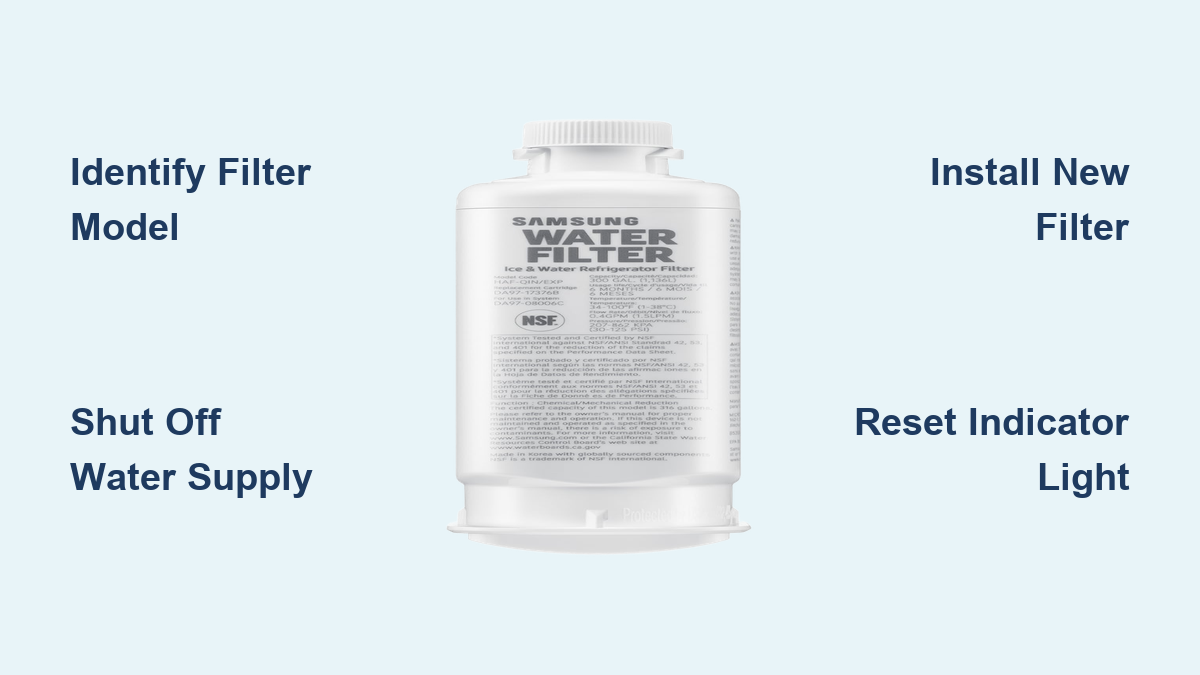
Is your Samsung refrigerator dispensing slow water, or does your ice taste off? It might be time to change the water filter. Replacing your Samsung water filter every six months ensures clean, great-tasting water and optimal performance from your ice maker. Even if the indicator hasn’t turned red, a drop in water flow or odd taste means it’s time for a fresh filter.
In this guide, you’ll learn how to identify your filter model, remove the old unit, install the new one correctly, flush the system, and reset the filter light. The entire process takes under 15 minutes and requires no tools. Whether you have a Family Hub, French door, or side-by-side model, you’ll find model-specific tips and troubleshooting fixes here.
Find Your Samsung Filter Model

Check Location and Type
Samsung refrigerators use three main filter types: HAF-QIN, HAF-CIN, and HAFCU1. The right model depends on your fridge’s design and where the filter housing sits.
- HAF-QIN: Found between crisper drawers or in the upper right interior. Used in most French door models.
- HAF-CIN: Twist-lock style, often in the upper corner or base grille.
- HAFCU1: Common in side-by-side or top-freezer units with notch alignment.
To confirm your model:
1. Open your fridge.
2. Look for the filter housing, usually behind a cover in the top right or below the crisper drawers.
3. Check the label on the old filter or consult your user manual.
Verify a Genuine Samsung Filter
Using a genuine Samsung filter prevents leaks and ensures full contaminant reduction. Fake or third-party filters may not meet NSF/ANSI 42, 53, or 401 standards.
To authenticate:
– Use the security tag and magnet included in the box.
– Place the tag on the magnet.
– If green stripes appear, the filter is genuine.
Avoid cheaper alternatives, as they can void warranties or damage internal lines.
Prepare Before You Start
Gather Supplies
You’ll need:
– A new genuine Samsung water filter (correct model)
– A large bowl or pot to catch water during flushing
– Towels for drips
– Access to the water shutoff valve (typically under the sink)
Shut Off Water and Relieve Pressure
Skipping this step can result in a messy spray. Always:
1. Turn off the water supply valve clockwise under the sink.
2. If you can’t shut it off, dispense 3 to 5 glasses of water from the fridge to reduce line pressure.
3. Keep towels nearby, since some dripping is normal when removing the old filter.
This step protects the housing from stress during removal.
Remove the Old Samsung Water Filter
Twist-Off Models (HAF-QIN and HAF-CIN)
Used in most French door and Family Hub refrigerators.
- Open the filter cover if present.
- Grip the filter firmly.
- Turn it counterclockwise about 90 degrees until the lock symbol aligns with the unlock arrow.
- Pull straight out, keeping it level to minimize spillage.
Stuck filter? Don’t force it. Gently wiggle while turning. High pressure or mineral buildup can cause resistance.
Front-Access Models (Bespoke, Family Hub)
For refrigerators with external dispenser access:
- Open the flip-up cover below the water and ice dispenser.
- Press the unlock button.
- Turn the filter counterclockwise twice. It will pop out automatically.
No twisting force is needed; the spring-loaded mechanism ejects it once unlocked.
Base Grille Models (HAFCU1)
Found in some side-by-side units:
- Pull open the bottom grille.
- Locate the filter.
- Twist left (counterclockwise) to unlock.
- Remove straight out.
Always inspect the housing for cracks or debris before installing the new one.
Install the New Samsung Water Filter
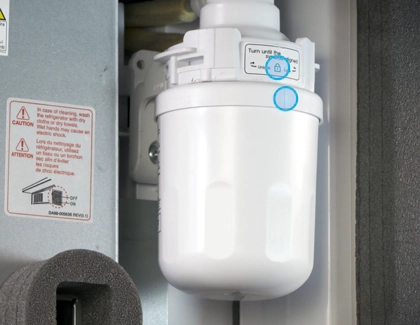
Insert and Lock Correctly
A poorly installed filter causes leaks and poor filtration. Follow these steps based on your filter type.
For HAF-QIN and HAF-CIN:
- Remove the protective cap from the new filter.
- Check the O-rings. They should be intact and seated properly.
- Insert the filter into the housing, aligning guide marks.
- Turn clockwise until it locks. Stop when the lock symbol lines up with the arrow.
- On some models (e.g., RS22T5201), press and hold the lock button for 3 seconds until the symbol disappears.
For HAFCU1:
- Remove the cap and inspect seals.
- Insert the filter into the base grille housing.
- Twist right (clockwise) until snug.
- Align the notch on the filter with the arrow on the housing.
For Bespoke Front Access:
- Align orientation marks on the new filter.
- Push in fully.
- Turn clockwise until it clicks.
- Confirm the display shows “Locked.”
Pro Tip: Never overtighten. These are push-and-turn systems, so hand tight is enough.
Flush the New Water Filter
Remove Air and Carbon Fines
Skipping this step leads to sputtering, cloudy ice, and bad-tasting water.
- Turn the water supply back on.
- Place a large pot under the dispenser.
- Dispense 3 to 5 gallons of water continuously.
– Takes about 7 minutes.
– Do not drink the first few liters. - Watch the stream. It will start sputtering (air pockets), then become smooth and clear.
Why flush? New filters contain activated carbon dust and trapped air. Flushing clears both, ensuring clean, consistent flow.
Consequence of skipping: Ice cubes may be hollow or cloudy, and water may spit from the dispenser.
Reset the Filter Indicator Light

Restart the 6-Month Timer
The red light won’t go away until you reset it, even with a new filter installed.
On Smart Models (Family Hub):
- Tap the Family Hub screen.
- Go to Settings, then Water Filter (or Fridge Manager App).
- Select Reset Filter.
- Confirm. The system logs today as the new install date and shows 100% life.
On Standard Models:
- Find the Ice Maker or Filter Reset button on the control panel.
- Press and hold for 3 seconds.
- The red light should turn off.
⚠️ Model Variation Alert: Some units require holding the Power Cool and Power Freeze buttons together. If 3 seconds doesn’t work, check your manual or Samsung’s support site.
Fix Common Post-Install Issues

Filter Won’t Turn or Lock
Cause: Misalignment or high pressure.
Fix:
– Ensure water is shut off.
– Double-check orientation arrows.
– Wiggle slightly while turning.
– Confirm the housing isn’t cracked.
Sputtering or Dripping Water
Cause: Air still in the lines.
Fix: Continue flushing. Run another gallon if needed. A solid, steady stream means it’s ready.
Red Light Still On
Cause: Indicator not reset.
Fix:
– Try the 3-second hold again.
– Use the Family Hub app.
– Power cycle the fridge (unplug for 1 minute) if unresponsive.
Leaking Around Filter
Cause: Damaged O-ring, missing cap, or incomplete installation.
Fix:
– Remove filter and check rubber seals for nicks or debris.
– Reinstall, ensuring full twist to “Lock.”
– Confirm the protective cap was removed.
Cloudy Water or Ice
Cause: Carbon fines or air bubbles, which are normal at first.
Fix: Keep dispensing. It clears within 1 to 2 gallons and is not a defect.
Maintain Peak Filter Performance
Replace Every 6 Months
Samsung recommends replacement every six months, regardless of usage. In hard water areas or with heavy use (large families, frequent water dispensing), consider replacing at 5 months.
Even if the light hasn’t turned red, watch for these signs:
– Slow flow
– Metallic taste
– Small ice cubes
Extend Filter Life Tips
- Use cold tap water for cooking instead of constantly refilling pitchers.
- Avoid dispensing water unnecessarily.
- Use filtered water only when needed rather than leaving the dispenser running.
Track Replacement Dates
Set a calendar reminder or use the Samsung SmartThings app to auto-track filter life. Write the install date on the filter housing with a marker.
Buy the Right Replacement Filter
Pricing and Where to Buy
- Genuine HAF-QIN: Around $37 (available at Lowe’s, Home Depot).
- Amazon and Samsung.com: Often offer subscription discounts.
- Third-party filters: As low as $15, but they risk leaks, poor taste, and lack of NSF certification.
Stick with OEM Samsung filters for:
– Full chlorine, lead, and BPA reduction.
– Leak-proof design.
– Warranty compliance.
Frequently Asked Questions About Samsung Water Filters
How often should I change my Samsung water filter?
Samsung recommends replacing the filter every 6 months. However, heavy use may shorten lifespan. Replace immediately if you notice slow water flow, bad taste, or a red indicator light.
Where is the Samsung water filter located?
It depends on your model. HAF-QIN filters are typically between the crisper drawers or in the upper right interior. HAF-CIN filters are often in the upper corner or base grille. HAFCU1 filters are usually in the base grille of side-by-side models.
Do I need to turn off the water before changing the filter?
Yes. Turn off the water supply valve under the sink by rotating it clockwise. If you can’t access the valve, dispense several glasses of water to relieve pressure before removing the filter.
Why is my water sputtering after installing a new filter?
Sputtering happens when air is trapped in the water lines or when carbon fines from the new filter are present. Flush 3 to 5 gallons of water through the dispenser for about 7 minutes to clear the air and particles.
How do I reset the filter light on my Samsung fridge?
On standard models, press and hold the Ice Maker or Filter Reset button for 3 seconds. On Family Hub models, go to Settings, then Water Filter, and select Reset Filter.
Are third-party Samsung water filters safe to use?
Third-party filters are cheaper but may not meet NSF/ANSI 42, 53, and 401 standards. They can cause leaks, poor filtration, and may void your warranty. Genuine Samsung filters are recommended for reliable performance.
Key Takeaways for Changing Your Samsung Water Filter
Changing your Samsung water filter is a quick, tool-free task that keeps your water clean and your ice maker running smoothly. Start by identifying your filter model (HAF-QIN, HAF-CIN, or HAFCU1), then shut off the water, remove the old filter, and install a genuine replacement. Flush 3 to 5 gallons through the system to clear air and carbon dust, then reset the indicator light to restart the 6-month timer.
Replace your filter every 6 months, or sooner if you notice slow flow or off-tasting water. Set a reminder today so your next replacement is ready before the 180-day mark arrives.