When to Change Brita Water Filter
Your morning glass of water tastes flat, metallic, or oddly stale. The indicator light still shows green, but something is clearly off. This is the most common frustration Brita owners face: knowing exactly when to change Brita water filter cartridges before water quality drops. Time-based guidelines offer a starting point, but real-world factors like water hardness, household size, and filter type dramatically shift the actual replacement window.
Below, you’ll find model-specific replacement schedules, step-by-step indicator reset instructions, early warning signs of filter exhaustion, and pro tips to maximize filter life without sacrificing water quality. Whether you use a standard pitcher, Stream system, faucet mount, or international Maxtra jug, this guide covers every detail you need.
Brita Filter Replacement Schedules by Type

Each Brita system uses a unique filter with different capacity and lifespan. Matching the correct schedule to your model ensures consistent filtration performance.
Standard Pitcher Filters: 40 Gallons or 2 Months
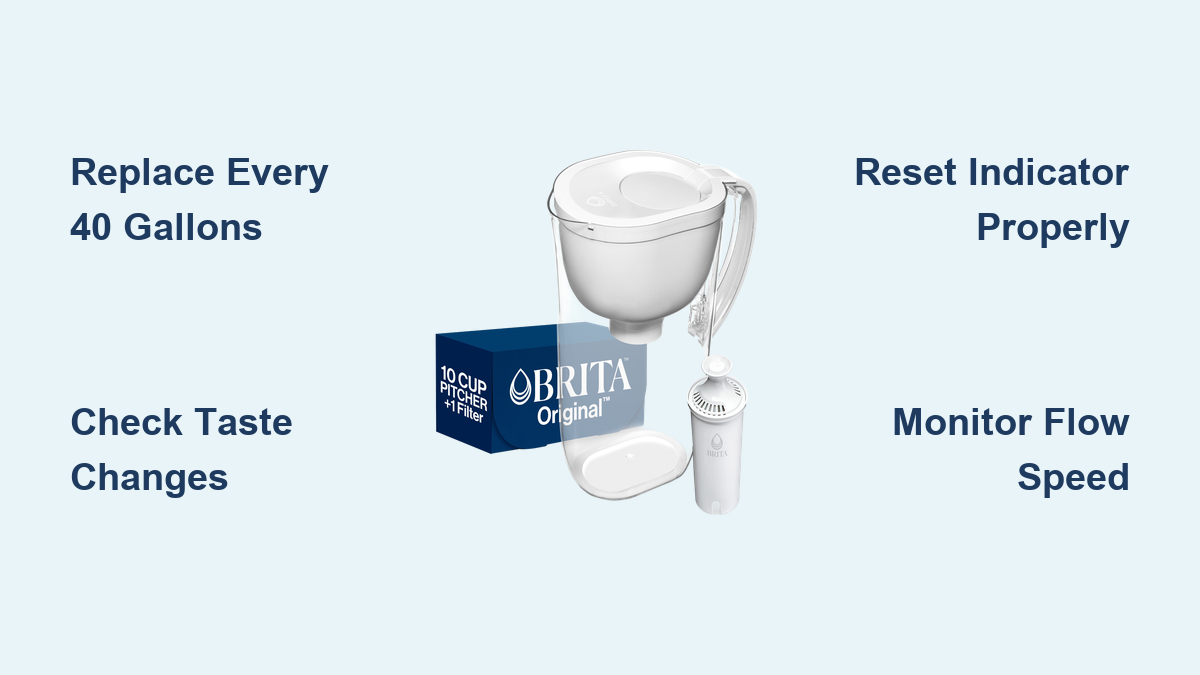
Brita Original (White) and Stream (Gray) filters both require replacement every 40 gallons or approximately 2 months, based on average household use of 11 glasses per day. The Original filter requires a 15-second cold water rinse before installation, plus three full pitcher flushes to activate the media. The Stream filter, designed for “Filter-As-You-Pour” pitchers, also flushes for 15 seconds and clicks into place with the blue ring facing up.
Pro Tip: If you refill your pitcher more than twice daily, track by gallons instead of months. Exceeding the 40-gallon capacity reduces filtration efficiency and may allow contaminants to pass through.
Elite Filters: 120 Gallons or 6 Months
The Brita Elite™ (Blue) filter lasts up to 120 gallons or 6 months, three times longer than standard models, thanks to its proprietary pleated media design. It is the only Brita pitcher filter certified to remove 99% of lead in pour-through systems. No pre-rinsing is needed, but you must manually set the electronic indicator to “Elite” mode by holding the STATUS button for 6 seconds.
Warning: Older Brita pitchers with sticker indicators won’t automatically reflect the 6-month lifespan. Manually adjust your tracking timeline or sign up for Brita email reminders to avoid premature replacement.
Faucet and Bottle Filters: 4–6 Months
Brita faucet filters (SAFF-100/FF-100) last 100 gallons or about 4 months. The countdown clock starts only after completing the mandatory 5-minute flush during setup. Premium water bottles require filter changes every 40 gallons or 2 months, assuming 64 oz of daily use. Sport bottles need one full squeeze through the new filter to activate it, while hard-sided bottles require a 15-second rinse and firm insertion until flush with the straw.
Note: Faucet systems typically signal replacement through reduced flow or discoloration. Bottles often develop stale tastes when filters near expiration.
Maxtra Filters: 1–2 Months
Used primarily in the UK and Europe, Brita Maxtra filters carry an official rating of 1 month. However, many users extend this to 2 months without noticeable taste decline, especially in soft water areas. The electronic timer counts down from 30 days, so manual tracking becomes necessary if you extend usage. After installing a new Maxtra filter, perform the shake prime method: fill the jug halfway, shake gently for 1 minute, discard, then filter two full jugs before drinking.
Expert Insight: In soft water regions, Maxtra filters often perform well beyond 30 days. Trust taste and flow rate more than the timer countdown.
Identify Your Brita Filter Correctly

Using the wrong replacement schedule often starts with misidentifying your filter. Visual cues and compatibility rules prevent costly mistakes.
Match Filter Color to Model
- White Filter: Brita Original (formerly Standard). Fits all standard pitchers except Stream models.
- Blue Filter: Brita Elite™. Compatible with all standard pitchers; requires correct electronic setting.
- Gray Filter: Brita Stream®. Works only in Stream pitchers with pour-through technology.
- Cylindrical Cartridge: Brita Maxtra. Used in Maxtra jugs; inserts in either direction.
Critical Rule: Stream pitchers cannot use Original or Elite filters. Attempting installation will result in leaks or no filtration.
Check Compatibility Before Buying
- Original and Elite filters are interchangeable in standard pitchers.
- Elite filters should not be used in non-Brita systems, even if they physically fit, because certification applies only to genuine Brita units.
- Faucet filters are model-specific and not cross-compatible with pitchers.
- Bottle filters vary by design (sport vs. hard-sided); always verify packaging compatibility.
Avoid This Mistake: Assuming all gray filters are identical. Stream filters feature a unique cage mechanism and won’t function in older pitchers.
Set and Reset Brita Indicators Accurately

Electronic and manual indicators help track filter life, but only when configured correctly.
Program Pitcher Indicators by Filter Type
Pitchers with a Max Fill Line measure reservoir fills:
– For Original (Standard) filters: Hold STATUS button 2 seconds. Green light blinks three times next to “STANDARD FILTER.”
– For Elite filters: Hold STATUS button 6 seconds until green light blinks independently next to “ELITE FILTER.”
Accuracy Tip: Always fill to the Max Fill Line. Refill only after the reservoir empties completely to maintain correct volume counting.
Understand Light Signal Codes
Pitchers without Max Fill Lines and Stream models count pours (approximately 8 oz each):
– Green Blink: Filter is good.
– Yellow Blink: 25% life remaining (replace soon).
– Red Blink: Replace immediately.
To reset:
– Standard pitchers: Press RESET button until green blinks.
– Stream models: Hold STATUS button 8 seconds until all lights blink, then release when only green remains.
Troubleshooting: If lights don’t respond, ensure the lid stayed open for more than 5 seconds during filling. Brief openings may not register a fill cycle.
Manage Sticker and Maxtra Timers
- Sticker indicators assume 2-month use for standard filters. For Elite filters, write start and end dates six months apart.
- Maxtra timers default to a 1-month countdown. Press and hold “Start” to reset. Users extending to 2 months should mark calendars or rely on taste testing.
Digital Backup: Sign up for Brita email reminders to track non-standard intervals like 6-month Elite or 2-month Maxtra cycles.
Recognize Early Signs of Filter Exhaustion

Even with perfect tracking, filters can degrade faster due to water conditions or heavy household use.
Taste and Odor Changes
A metallic, earthy, or stale taste is the most reliable sign your filter is exhausted. Chlorine reduction fades first, making water smell chemical-like. If water tastes “flat” or different from usual, replace the filter immediately, even if the indicator shows green.
Real-World Test: Conduct a side-by-side taste comparison between filtered and tap water. If the difference is minimal, the filter is likely spent.
Slow Flow Rate
A significant drop in filtration speed, especially in pitchers, indicates clogging. This is common in hard water areas, where mineral buildup saturates the carbon and ion-exchange resin faster. Brita explicitly advises changing filters more frequently if you have hard water.
Quick Fix: Clean the pitcher with mild soap and warm water. A dirty reservoir can mimic flow issues caused by filter exhaustion.
Black Specks in Water
Seeing small black particles? These are harmless carbon fines, especially common during the first few uses of a new filter. They don’t indicate failure. However, if specks persist beyond the first three pitchers, rinse the reservoir and verify proper pre-flushing was completed.
Design Note: Newer filters are engineered to minimize shedding. Persistent specks may mean poor activation rather than defective filters.
Install Brita Filters the Right Way
Improper installation voids performance guarantees and skews indicator accuracy.
Prepare and Prime Each Filter Type
- Original Filters: Rinse under cold water for 15 seconds before inserting. Discard the first three pitchers.
- Elite Filters: No pre-rinse needed. Set indicator to Elite mode. Discard first pitcher only if taste seems off.
- Stream Filters: Flush 15 seconds, insert with blue ring up, twist cage into lid, and activate indicator.
- Bottle Filters: Squeeze one full bottle through new filters (sport) or press firmly into straw (hard-sided).
- Faucet Filters: Flush system for 5 minutes after installation. Life countdown begins only after this step.
Critical Step: For faucet systems, failure to flush for 5 minutes invalidates the 100-gallon rating entirely.
Maxtra Filter Activation Steps
- Wash lid, holder, and cap with soapy water.
- Insert new filter in either direction.
- Fill jug halfway, shake gently for 1 minute.
- Discard water.
- Refill and filter twice more.
- Reset timer by holding “Start” until flashing.
Why Shake?: This saturates the carbon and removes loose particles more effectively than static soaking alone.
Extend Brita Filter Life Without Risk
While filters have set capacities, smart habits can maximize performance within safe limits.
Store Filters Properly
Unused Brita filters have indefinite shelf life if packaging remains sealed. Store in a cool, dry place. If an Original filter has been stored long-term, pre-soak for 15 minutes before use to ensure full saturation. Elite filters don’t require soaking.
Myth Busting: Expired filters aren’t a concern; only damaged or opened packaging reduces effectiveness.
Prevent Premature Clogging
- Use cold tap water only. Hot water damages filter media.
- Clean pitcher monthly with mild soap. Avoid dishwashers, which warp plastic and harm electronics.
- Don’t overfill. Water above the Max Fill Line leaks into the handle and bypasses filtration.
- Refrigerate when possible. Storing pitchers at room temperature encourages bacterial growth in used filters.
Safety Note: Brita filters are not purifiers. They don’t remove bacteria or viruses. Never filter well water, lake water, or non-potable sources.
Know What Brita Filters Can and Can’t Remove
Understanding filtration limits prevents misuse and false expectations.
Contaminants Reduced
All Brita filters reduce:
– Chlorine taste and odor
– Copper, cadmium, mercury (depending on model)
Only Brita Elite™ filters reduce lead (99%) in pour-through systems. Certification comes from WQA under NSF/ANSI standards.
Key Fact: Elite filters use side-flow technology and pleated media for higher surface area and longer life.
Fluoride and Microbes
Brita filters retain fluoride, a benefit for those relying on fluoridated municipal water. They do not remove:
– Bacteria or viruses
– Nitrates, arsenic, or radon
– Hardness minerals (calcium, magnesium)
Warning: Never use Brita filters for microbiologically unsafe water. They are not substitutes for boiling or UV treatment.
Troubleshoot Common Brita Issues Fast
Quick fixes keep your system running smoothly between replacements.
Filter Not Fitting?
- Stream pitchers require Stream filters only. Original or Elite won’t click into place.
- Maxtra filters should slide in smoothly. Force indicates debris or incorrect alignment.
Leaking Pitcher?
- Check for overfilling above the Max Fill Line.
- Ensure filter is fully seated and groove aligned with notch.
- Inspect pitcher for cracks or warping, especially near the handle.
Indicator Not Resetting?
- Hold the button long enough: 2 sec for Original, 6 sec for Elite, 8 sec for Stream.
- Confirm lid stayed open more than 5 seconds during last fill.
- Replace batteries if lights appear dim or unresponsive.
Battery Tip: Most electronic lids use coin-cell batteries lasting 1–2 years.
Frequently Asked Questions About Changing Brita Filters
How often should you change a standard Brita pitcher filter?
Replace standard Brita Original (White) filters every 40 gallons or approximately 2 months, based on average household use of 11 glasses per day. Households with higher consumption should track by gallons rather than months to ensure timely replacement.
How long does a Brita Elite filter really last?
The Brita Elite filter is rated for 120 gallons or 6 months, three times longer than standard filters. However, hard water conditions or heavy usage may require earlier replacement. Always set the electronic indicator to Elite mode for accurate tracking.
What happens if you don’t change your Brita filter on time?
Expired Brita filters lose their ability to reduce chlorine, lead, and other contaminants effectively. Water may develop unpleasant tastes or odors, and filtration speed typically decreases as carbon media becomes saturated. In worst cases, trapped contaminants may release back into the water.
Can you reuse a Brita filter after it expires?
No. Brita filters are designed for single-use within their rated lifespan. Once carbon and ion-exchange media become saturated, they cannot be regenerated through rinsing or soaking. Attempting to extend use beyond the rated capacity compromises water quality.
Why does my Brita filter still taste bad after changing it?
New filters require proper activation before use. Original filters need a 15-second rinse plus three pitcher flushes. Maxtra filters require the shake-prime method. Failure to activate properly can leave carbon fines or air pockets that affect taste temporarily.
How do you know when a Brita bottle filter needs changing?
Brita bottle filters should be replaced every 40 gallons or 2 months, assuming 64 oz of daily use. Common signs include stale taste, reduced flow, or visible discoloration. Unlike pitchers, bottles typically lack electronic indicators, so manual tracking is essential.
Key Takeaways for Changing Your Brita Water Filter
The best rule for when to change Brita water filter cartridges is straightforward: 40 gallons or 2 months for standard filters, 120 gallons or 6 months for Elite, and 100 gallons or 4 months for faucet models, adjusted for your water quality and usage patterns. Hard water, frequent refills, and taste changes all signal earlier replacement needs.
Always match the filter to your specific system, set indicators correctly during installation, and prime new filters as directed. When in doubt, replace it. A fresh filter delivers better-tasting, cleaner water and complete peace of mind for your household.
Next step: Check your current filter’s install date and gallon count right now. If either exceeds the recommended threshold for your model, order a replacement today to restore optimal filtration performance.